Discord Applications in ThirstScript
So, you want to learn how to make discord bots and other discord applications with Thirst Script, huh? Well it’s not going to be easy. You’re going to have to put the work in!
What is a Discord Bot tho?
Oh, dear. I slightly went in thinking you already knew what a Discord bot is. Well, no matter!
Discord Bots are accounts not controlled by a human, designed to do a range of things! From server managment to games! Programs like Discord Bot Maker make it easy to make Discord Bots. However, it is not so powerful. So if you want to make a powerful Bot, I’d reccomend using Python or Thirst. Now, if you already have a bot, then skip to Getting started programming your bot. If not, here’s how you set up the bot.
Setting up the Bot
To set up a Discord Bot, first create a server you want to put the bot in. It’s always good to have a testings server. Next, go to the discord website. Go to the “Developers Tab” and go down to “Developer Portal”:

Then go to the top right and click “New Application”. Name it, I’ll call mine “ThirstTestBot”. Then go to the sidebar and click “Bot”.
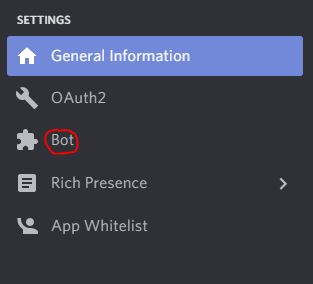
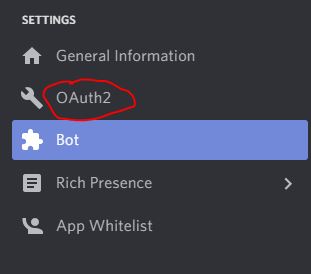
Now scroll down to “Bot Permissions” and give it what permissions you want. I’m just gonna give it Administrator, because that’s easy. Now go back to the sidebar and click “Oauth2”:
Now in the “Scopes” section click Bot:
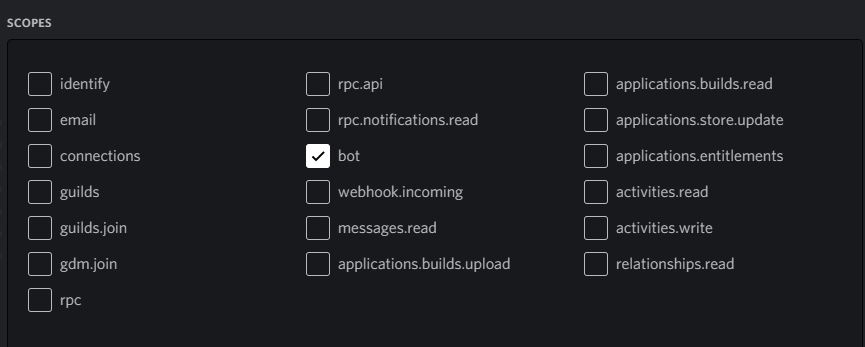
Then scroll down and give it the same permissions as before. Then, under the Scopes box, there should be a link. Click the “copy” button next to it:

Then paste it into a new tab. Follow through the wizard. It will ask you what server you want it in, permissions, etc. Once it says you can close the tab, go back to your discord server for the bot and it will have miraculously transpired! Magic!